
Get instant AI-powered assistance in RStudio. Our context-aware chatbot understands your entire R project, including variables, functions, and data structures. Delegate coding tasks so you can focus on higher-level direction.
Auto-execute generated code, and if it fails, grab the error and reiterate automatically.
One-click debugging that automatically fixes your last coding error.
Advanced visualization interpretation. Get insights and explanations about your R plots and charts.
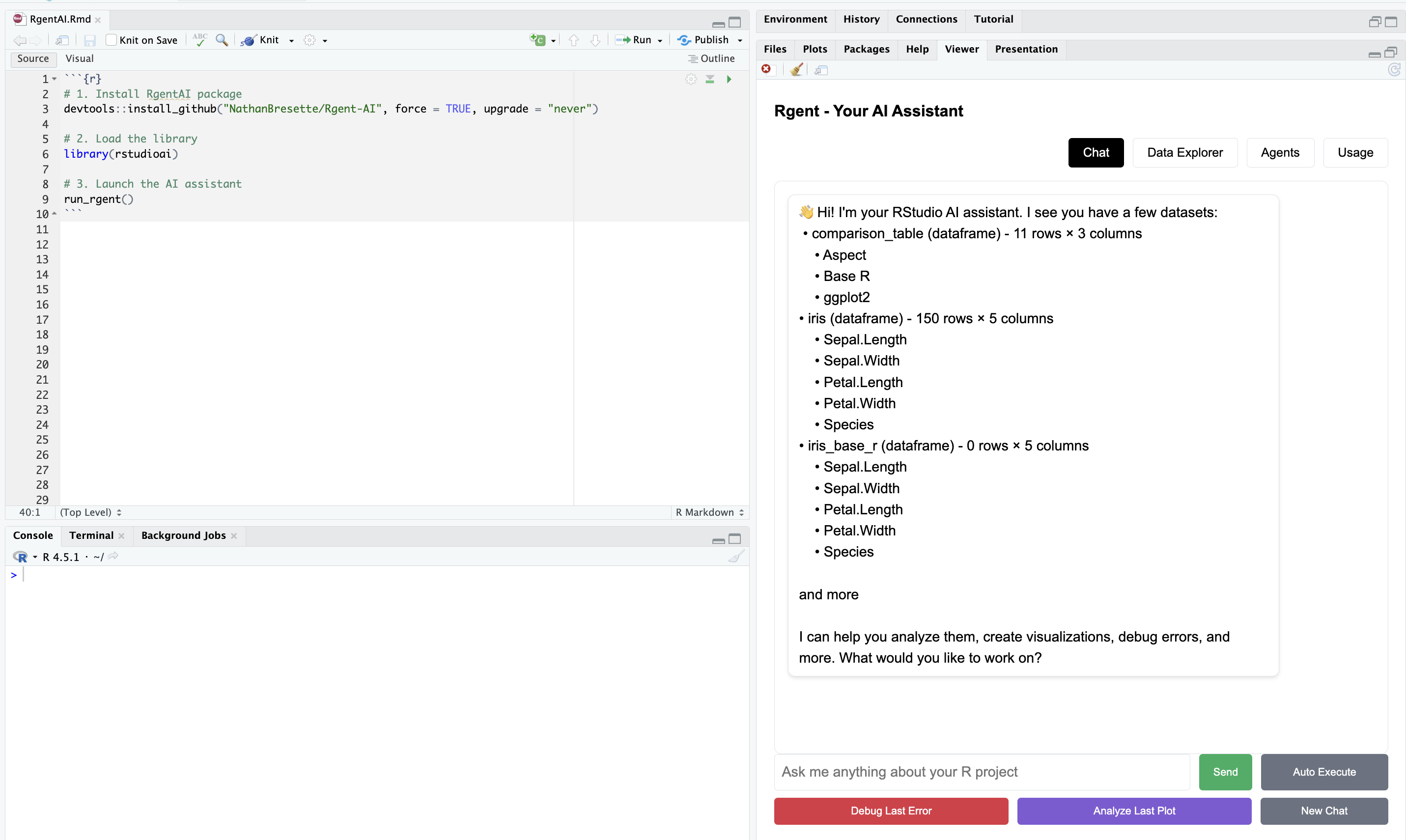
Just a library install—no browser extensions or separate apps needed. RgentAI runs directly in RStudio's Viewer pane, seamlessly integrated into your workflow.
Get started with just three simple commands. No complex setup, no configuration files—just install and run.
Fully integrated into RStudio's Viewer pane. Access your AI assistant without leaving your development environment.
Intelligent code completion powered by AI. Get context-aware suggestions as you type in the rgent chat.
Explore and understand your data with powerful interactive tools. Get instant insights, summaries, and visualizations of your datasets. Browse and sort your data with an intuitive interface.
Browse and sort your data effortlessly.
| Sepal.Length | Sepal.Width | Petal.Length | Petal.Width | Species |
|---|---|---|---|---|
| 5.1 | 3.5 | 1.4 | 0.2 | setosa |
| 4.9 | 3.0 | 1.4 | 0.2 | setosa |
| 4.7 | 3.2 | 1.3 | 0.2 | setosa |
| 4.6 | 3.1 | 1.5 | 0.2 | setosa |
| 5.0 | 3.6 | 1.4 | 0.2 | setosa |
| 5.4 | 3.9 | 1.7 | 0.4 | setosa |
| 4.6 | 3.4 | 1.4 | 0.3 | versicolor |
| 5.0 | 3.4 | 1.5 | 0.2 | versicolor |
| 5.2 | 3.5 | 1.5 | 0.2 | versicolor |
| 5.8 | 2.7 | 4.1 | 1.0 | versicolor |
| 6.1 | 2.8 | 4.0 | 1.3 | versicolor |
| 6.3 | 3.3 | 6.0 | 2.5 | virginica |
| 6.4 | 3.2 | 4.5 | 1.5 | virginica |
| 6.6 | 3.0 | 4.4 | 1.4 | virginica |
| 6.7 | 3.0 | 5.2 | 2.3 | virginica |
| 6.9 | 3.1 | 5.4 | 2.1 | virginica |
Click on a histogram to make it interactive. Instant summary statistics and data quality insights.
Browse all objects in your workspace. See dataframes, functions, lists, vectors, and more with their types and sizes.
Powerful specialized agents that automate complex data science workflows. Each agent is designed for specific tasks, from data cleaning to advanced modeling. Delegate coding tasks so you can focus on higher-level direction.
Automates preprocessing and quality improvements. Handles missing values, outliers, and data validation.
Handles data transformations and feature creation. Automatically suggests and applies transformations.
Comprehensive testing with intelligent test selection. Hypothesis testing, effect sizes, and power analysis.
I was really impressed with the tool. Easy to install. Handy features - especially the agents and debug.
As someone who is a part-time user of R, I've been waiting for something like this for a long time. Thank you.
This is better than all other available AI for RStudio.